WhatsApp Marketing Messages and Bulk Sends
Bulk WhatsApp messages get replied to far more often than email, and the exchange is genuinely interactive — which is what makes bulk WhatsApp such a good tool for customers and businesses alike.
Bulk WhatsApp messaging has become a staple of modern marketing for a simple reason: email open rates keep falling, and WhatsApp reaches people far more reliably.
The reason is that WhatsApp is simply closer to hand. Our phones never leave our side, so WhatsApp response rates stay remarkably high.
That is why businesses have been moving from email to WhatsApp. Millions of messages go out to customers every year, and their reply rates dwarf what email produces.
That said, bulk messaging on WhatsApp comes with limits. The most basic one is playing by Meta's rules — break them and your WhatsApp number can be restricted or blocked outright. WhatsApp enforces this hard because it maintains a strong rule engine to protect its users from spam.
So how do you send bulk messages without falling foul of those rules? Read on for the details.
What is bulk WhatsApp messaging?
You have one message template, and you send it not to a single person but to thousands — adjusting the template to each recipient's attributes as you go.
Bulk WhatsApp messages get replied to far more often than other channels and the exchange is genuinely interactive, which is what makes it such a good tool for customers and businesses alike.
What does bulk WhatsApp messaging do for a business?
Higher open rates: Messages get seen far more often than email or other channels, which gives you a higher-quality pool of customers.
Faster conversations: You reach the customer far more quickly and practically than by email, so problems and requests get resolved sooner.
Efficiency: Sending at scale is cheaper and more efficient, and the higher open rates make the whole channel considerably more profitable.
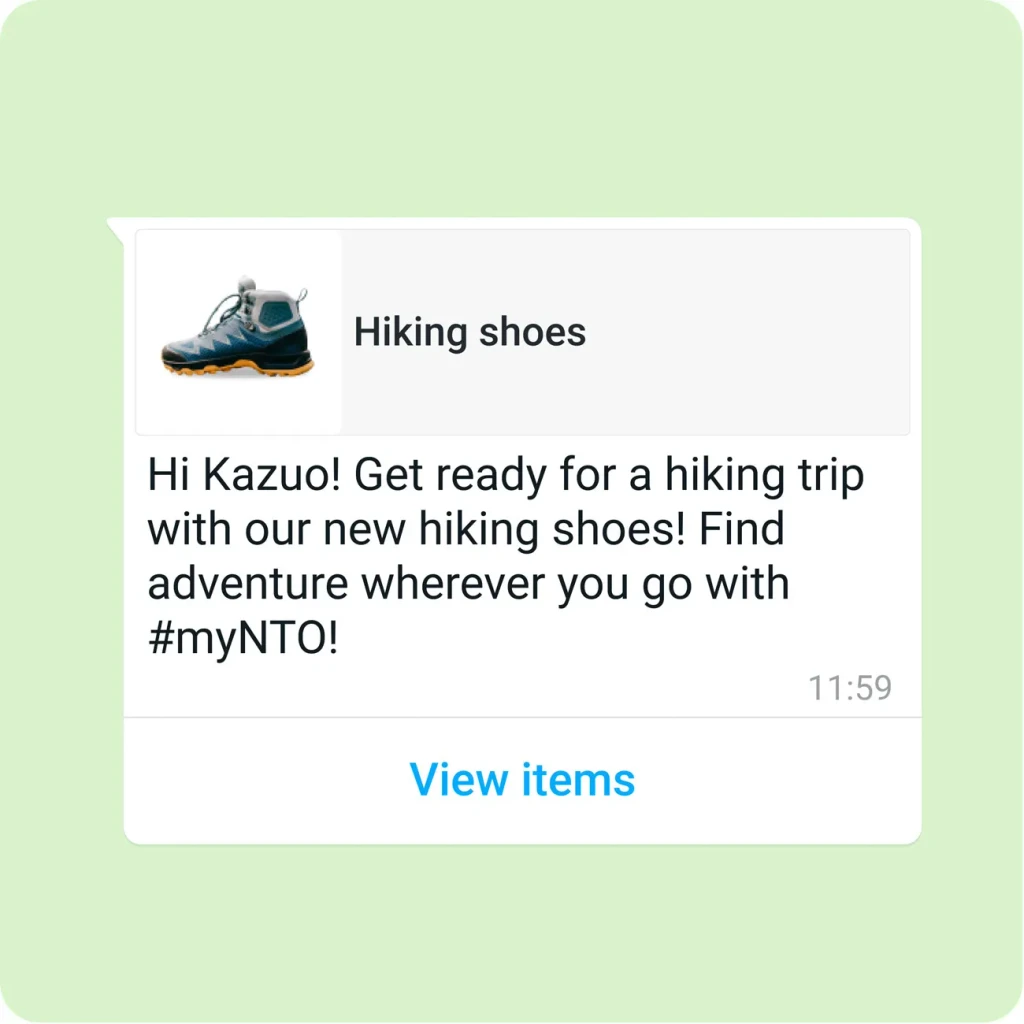
Rich media: WhatsApp lets you deliver information about your products quickly and richly — photos, video, PDFs (invoices, for example), locations (Google Maps), website links, and with API support even interactive buttons that take the customer straight to a product.
Works at any size: Bulk WhatsApp messaging doesn't care whether your business is large or small. You get every benefit above regardless of scale.
Where do businesses use WhatsApp?
- E-commerce and retail: The possibilities here are down to your imagination — the simplest examples are bulk discount announcements and back-in-stock notifications.
- Consulting and education: Send study notes to students or parents as files, or push class-time and schedule changes automatically in bulk.
- Customer support: Anything that needs resolving quickly is a good fit, and you can apply bulk WhatsApp to almost any area you can think of.
Why should businesses choose bulk WhatsApp messaging and automation?
The customer stays in control: They manage the conversation on their terms and can block or report a business whenever they need to. That, in turn, keeps your business from being flagged as spam.
Pre-approved paid message templates: These are Meta-approved templates prepared to suit your business. You no longer need to track messages by hand, and your inboxes stay current and clean.
Message feedback: Because feedback comes straight from the customer, you get it fast — an excellent starting point for fixing and improving your product.
A verified business profile: This matters a great deal for trust. Being Meta-verified raises customer confidence and makes people far more likely to do business with you.
Quality monitoring: As with message feedback, you see the comments that matter about your products quickly and can act on them sooner.
How do you actually send bulk messages on WhatsApp?
WhatsApp automation, step by step.
There are two options: sending in bulk through the WhatsApp Business app (ideal for small businesses), or sending in bulk through the WhatsApp Business API (for larger ones).
The WhatsApp Business app
- Build your recipient list: Tap the top right and pick names from your list (remember, the number has to be saved in your contacts).
- Turn your message into a template: Write a short, clear template and make sure it fits everyone on the list.
- Send it.
The WhatsApp Business API
- WhatsApp Business API: You first need API access. Because Flowera AI is a Meta Partner, you can use these APIs without going through that process yourself.
- Create your message templates: To send through the API, a template must first pass Meta's review. Templates can contain dynamic fields and variables, so a single template can go out personalised to everyone.
- Send: Start the send from your API provider's dashboard, segmenting and splitting your audience however you need.
What should you watch for when sending in bulk?
- Audience segmentation: Choose your audiences carefully and make sure the message content actually fits them.
- Keep messages short and clear: The shorter and more to the point your templates are, the higher your open and read rates.
- Test your messages: After sending, look at the replies and improve your content based on them.
- Optimise: Keep monitoring after every send, find the best-performing version, and carry on from there.
What are the most common bulk messaging mistakes?
- Sending without template approval: This gets you flagged as spam and can end with your account or number restricted.
- Using a brand-new number: New numbers can look untrustworthy to Meta, so a verified number is the better choice for raising your trust score.
- Cramming product promotion into templates: Being vague and packing in too much information drags your message quality down.
- Ignoring feedback and never optimising.